
Poshmark Photo Tips That Triple Your Sales (2026)
The exact Poshmark photo formula top sellers use — what to shoot, what to skip, and the AI shortcut that replaces buying a lightbox.
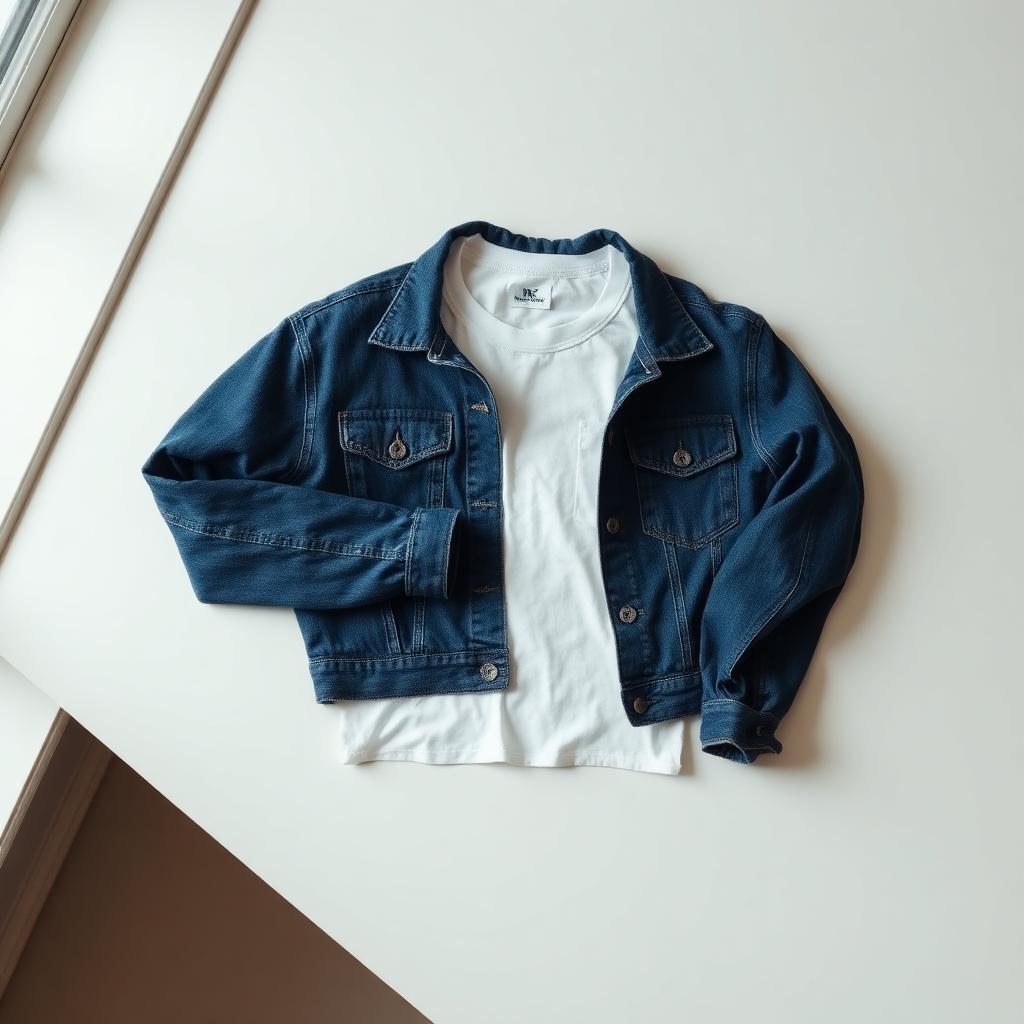
Poshmark is brutal on bad photos. The home feed is a wall of thumbnails competing for attention — sellers with clean, bright cover shots get triple the clicks of sellers with phone snaps on a bedsheet. Here's the formula that works in 2026.
The Poshmark cover shot rule
Your cover photo controls everything: feed impressions, search ranking, "like" rate, and the share-to-sale conversion. If you only optimize one thing, optimize the cover.
The Poshmark-winning cover shot has three properties:
- Solid, light background — white or pale grey. No clutter, no patterns.
- Item centered and full — entire garment in frame, no cropping.
- True color — what the buyer sees matches what shows up in the box.
The 4-step workflow
1. Shoot a flat-lay or hanging shot
Flat-lay (on the floor) works best for tops, knitwear, jeans. Hanging works for dresses, blazers, coats. Don't mix styles within one closet — it looks inconsistent.
2. Use the AI shortcut instead of a lightbox
Lightboxes cost $80+ and only fit small items. Skip it. Shoot anywhere with decent light, then drop the photo into Clothingenhancer — it gives you the clean studio background Poshmark's feed rewards, in 5 seconds.
3. Add the supporting shots
Poshmark lets you upload 16 photos. Use at least 7:
- Hero (the AI-cleaned shot)
- Back view
- Inside brand label
- Care/material label
- One detail (logo, stitching, hardware)
- Measurements laid flat with a tape measure
- Any flaws — honest and close-up
4. Set the cover crop
Poshmark crops cover photos square. Re-check the crop preview before posting — half of bad cover shots are good photos with bad crops.
What kills your Poshmark listings
- Mirror selfies of the item on you — fine as a styling shot, terrible as a cover.
- Yellow indoor light — makes whites look dirty and creams look pink.
- Background clutter — pets, laundry baskets, kids' toys in frame.
- All-black items shot on dark backgrounds — no contrast, item disappears.
- Heavy filters — Posh buyers expect honesty. Filters trigger refund requests.
The share game still matters
Poshmark rewards sellers who share their own closet and share other sellers' items. But sharing a listing with a bad cover shot is wasted effort — the share gets seen, no one clicks. Fix the photos first, then share.
TL;DR
- Shoot anywhere with decent light.
- Clean the cover with Clothingenhancer.
- Upload 7+ photos including measurements and flaws.
- Skip filters and selfies as covers.
- Share daily once your photos are right.
Do this for 30 days and your sell-through rate roughly triples. The items aren't the bottleneck — the cover photos are.
Ready to list faster on Marketplace?
Free AI tools made for second-hand clothing sellers.